

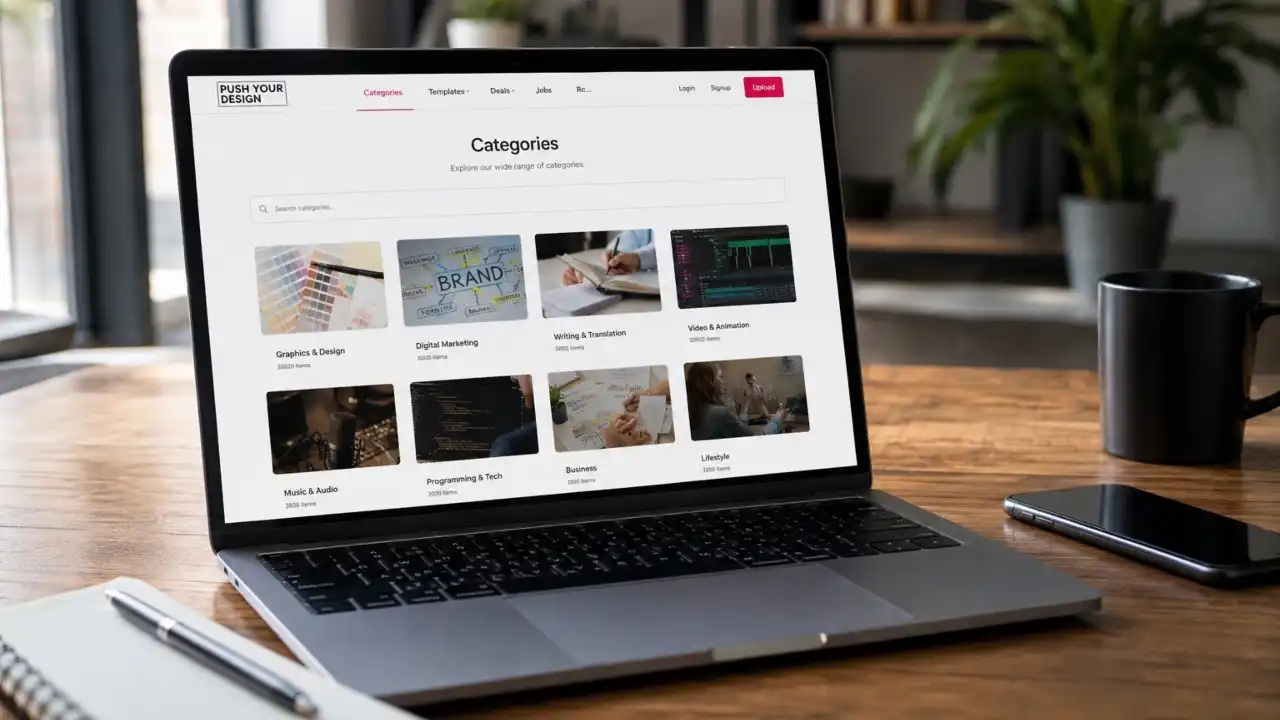
When a creative website contains a growing collection of projects, ideas, and design-related content, finding the right information can become challenging. Categories on PushYourDesign provides a practical way to organise related content into clear groups, helping visitors explore topics more easily while giving creators a better system for managing their work.
Whether you are showcasing interior concepts, creative projects, design inspiration, or other types of work, a well-planned category structure can improve navigation and make your content easier to understand. More importantly, it can help you identify which topics attract attention and where you should focus your future efforts.
Key Takeaways
- Categories create a clearer structure for organizing related work.
- Well-chosen category names can make content easier for visitors to discover.
- A simple category system improves navigation and reduces content clutter.
- Categories and tags serve different purposes and work best when used together.
- Regular reviews help keep your organization system relevant as your content grows.
- Performance data can reveal which content areas deserve more attention.
Why Categories Matter on PushYourDesign?
Imagine visiting a portfolio that contains dozens or even hundreds of projects without any clear organization. You might find interesting work, but locating a specific type of design would take unnecessary time.
A thoughtful category system solves this problem by creating clear paths through your content.
For example, a designer who publishes different types of creative work could organize projects into broad areas such as Interior Design, Home Improvement, Furniture, DIY Ideas, or Lifestyle. Instead of browsing every project individually, visitors can move directly toward the topic that interests them.
Categories on PushYourDesign also give each piece of content additional context. The category tells visitors what type of work they can expect to find and creates a more predictable browsing experience.
A well-structured categories on pushyourdesign also gives visitors useful context. It immediately tells them what type of information they can expect to find within that section. This simple organisation can make a website feel more professional and easier to explore.
From an SEO perspective, clear information architecture can also support discoverability. Google explains that logical site organization helps users and search engines understand how pages relate to each other. However, categories alone do not guarantee rankings. Quality content, useful internal linking, relevance, and a strong overall user experience still matter.
Categories Can Improve the User Experience
Good organization is not only about SEO. It is primarily about helping real people find useful information.
Consider a visitor looking for ideas to improve a small living room. If your content is organized clearly, that visitor can quickly move toward relevant design or home improvement topics rather than scrolling through unrelated material.
This creates a smoother journey:
Discover → Explore → Find relevant content → Take action
The same principle applies to professionals and collaborators. A clearly organized portfolio makes it easier to understand your expertise and identify examples that match a specific requirement.
The goal should always be simple: make the next step obvious.
How to Build a Useful Category Structure?
ou do not need dozens of categories to create a professional content structure. In fact, too many categories can make navigation confusing.
Start by identifying the main themes that appear consistently across your content. Consider:
- Which topics do you publish most often?
- What subjects are your visitors most likely to search for?
- Which topics deserve their own dedicated section?
- Are any categories too similar or overlapping?
For example, you might publish content about modern living rooms, bedroom decoration, kitchen design, and home renovation. Instead of creating a separate category for every small variation, you could use broader categories and organise specific subjects within individual articles.
Each categories on pushyourdesign should represent a meaningful group of related content. Avoid creating a category simply because one article covers a new subject.
A useful category should have enough potential content to remain valuable over time.
Use Clear and Familiar Category Names
Category names should be easy to understand at first glance.
Avoid overly clever names that force visitors to guess what they contain. A label such as Interior Design communicates its purpose immediately. A creative phrase like Beautiful Spaces may sound attractive, but it provides less information.
Think about the words your audience naturally uses when searching for information. If your visitors commonly look for “home décor ideas,” that phrase may communicate more clearly than an unusual alternative.
However, avoid forcing keywords into every category name. Search optimization works best when you create useful structures for people first.
Categories and Tags: What Is the Difference?
Categories and tags can work together, but they should not perform the same job.
Think of a category as a major content department. Tags work more like specific descriptive labels.
For example:
Category: Interior Design
Tags: Minimalist, Small Spaces, Neutral Colors, Modern, Scandinavian
This structure allows visitors to browse by a broad subject while still discovering specific characteristics.
A common mistake is creating a new category for every small topic. This can lead to dozens of nearly empty sections. Instead, use categories for major themes and tags or descriptive terms for narrower details when your platform supports them.
A Practical Example of Better Organization
Suppose you publish 30 articles about improving homes.
You could create five main categories:
- Interior Design
- Home Improvement
- Furniture
- Outdoor Living
- DIY Projects
Now imagine you publish an article about choosing space-saving furniture for a small apartment.
The article could belong to Furniture, while related tags might include Small Spaces, Storage, and Apartment Living.
This structure makes the content easier to manage and gives readers multiple ways to discover related information.
Over time, you may notice that furniture-related content consistently attracts more visitors. That insight could influence your editorial strategy. You might publish more practical furniture guides, comparisons, or design inspiration because your audience has demonstrated interest in the subject.
Keep Your Category System Clean
Your category structure should evolve as your website grows.
Review your categories periodically and look for:
- Duplicate or overlapping topics
- Categories with very little content
- Outdated subjects
- Confusing names
- Categories that no longer match your current direction
If two categories serve almost the same purpose, consider combining them. If a category has only one article, ask whether it really needs to exist as a standalone section.
A clean structure makes content management easier and helps visitors understand your website faster.
Use Analytics to Understand What Works
Organization becomes much more valuable when you connect it with real performance data.
Depending on the analytics tools available to you, monitor metrics such as organic traffic, page views, engagement, and conversions. You can then compare broader content groups to understand what your audience prefers.
For example, if articles related to interior design consistently outperform other topics, that may indicate strong audience interest. You can use this information to plan additional content around related questions and real user needs.
This does not mean you should abandon every low-traffic category immediately. Some topics may serve an important purpose even with smaller audiences. Instead, use performance data alongside expertise, relevance, and your long-term content goals.
Common Mistakes to Avoid
One of the biggest mistakes is creating categories simply because a new topic appears. This leads to an unnecessarily complicated website structure.
Another problem is inconsistent naming. If one section uses singular terms and another uses plural versions of similar terms, visitors may become confused.
Avoid changing category names frequently without a clear reason. If you do make significant structural changes, review your internal links and any relevant SEO settings to ensure users can still reach the right pages.
Most importantly, do not treat categories as an SEO shortcut. A categories on pushyourdesign should exist because it helps people discover and understand your content. SEO benefits should come naturally from a well-organized, useful website.
How Categories Can Support Long-Term Growth
A strong content structure becomes more valuable as your website expands.
At the beginning, you may only need a few broad categories. As your content library grows, those categories can help you identify gaps, popular themes, and opportunities for deeper coverage.
You might discover that visitors frequently engage with one subject but cannot easily find related content. That signals an opportunity to create better internal links, develop supporting articles, or improve category descriptions.
In this way, categories become more than simple folders. They can help shape your content strategy.
Final Thoughts
A well-planned categories on pushyourdesign can bring order to a growing collection of creative work and make the overall experience easier for visitors. The most effective approach is not to create as many categories as possible, but to build a structure that reflects how your audience actually explores information.
Start with a small number of meaningful categories, use clear names, separate broad topics from specific tags, and review your organization as your content grows.
When combined with genuinely useful content, thoughtful internal linking, strong user experience, and regular performance analysis, a clear category structure can help your website become easier to explore and more valuable over time.